PRODUCT ENGINEERING
Connect Supabase and Orkes Conductor in a Couple of Minutes | No Code Needed

Maria Shimkovska
Content Engineer
Last updated: November 5, 2025
November 5, 2025
4 min read


Nov 6, 2025

Oct 31, 2025
Oct 7, 2025
Join thousands of developers building the future with Orkes.
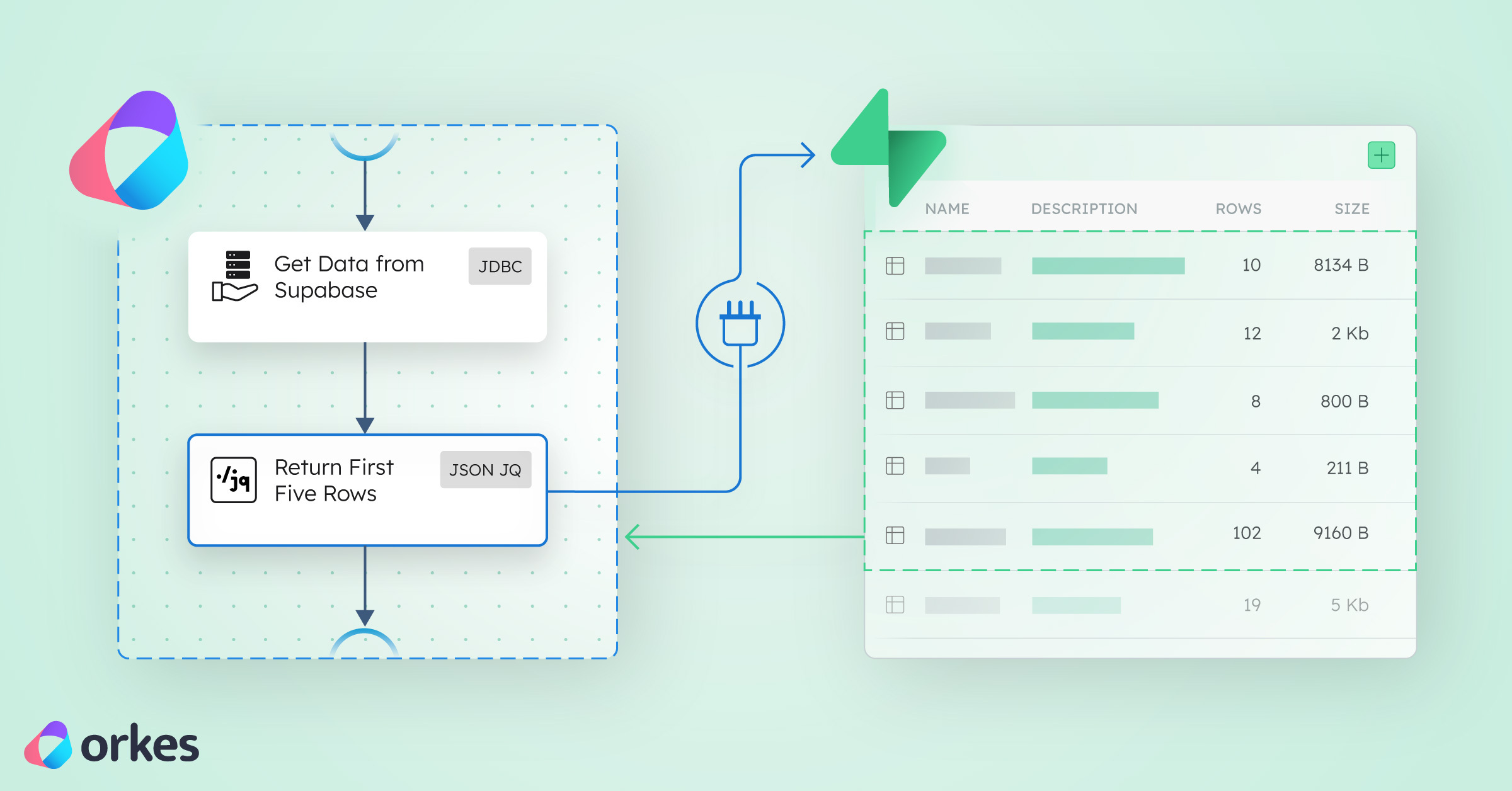
Learn how to automate Supabase workflows using Orkes Conductor. This ready-to-run template connects your database and runs automations in just two tasks.
You’ve got an idea; a quick dashboard, a data experiment, or a new app.
You start with Supabase because it's fast, secure, and developer-friendly. And in minutes your database is live and your data is ready to use.
What about after that, when you want to do something with your data? Like automating tasks, triggering actions when your data updates, or integrating AI to work with your data.
This is where I am introducing Orkes Conductor as the next step in your stack.
Getting started with Orkes Conductor and setting up a connection to a data provider is already easy. But why not push the bounds and make it even easier?
To make it effortless, I've built a ready-to-run Orkes Conductor template that connects directly to your Supabase database. The idea is to make the setup as easy and fast as possible so that you don't need to waste any time.
You could set up the Supabase integration in Conductor yourself but you don’t have to.
This template does the hard part for you, so you can focus on what matters: building, experimenting, and creating something smart.
With this template, you can connect Supabase to Orkes Conductor in under a minute.
All you do is:
In seconds, your data starts flowing through a live Orkes workflow. The workflow automatically fetches sample rows from your Supabase table, so you can see real-time results inside Conductor.
Once it’s running, you can customize the SQL query to filter, join, or trigger actions across your tech stack without leaving the Orkes UI.
Supabase powers your data with authentication, APIs, and real-time updates.
Orkes Conductor turns that data into automation; orchestrating dynamic workflows, triggering APIs, or even calling AI models.
Together, they unlock developer use cases like:
Long story short: Supabase is where your data lives. Orkes is how your data gets things done.
Typically, connecting Supabase and Conductor means:
This template eliminates all that.
It comes pre-configured with integration logic, workflow structure, and SQL handling.
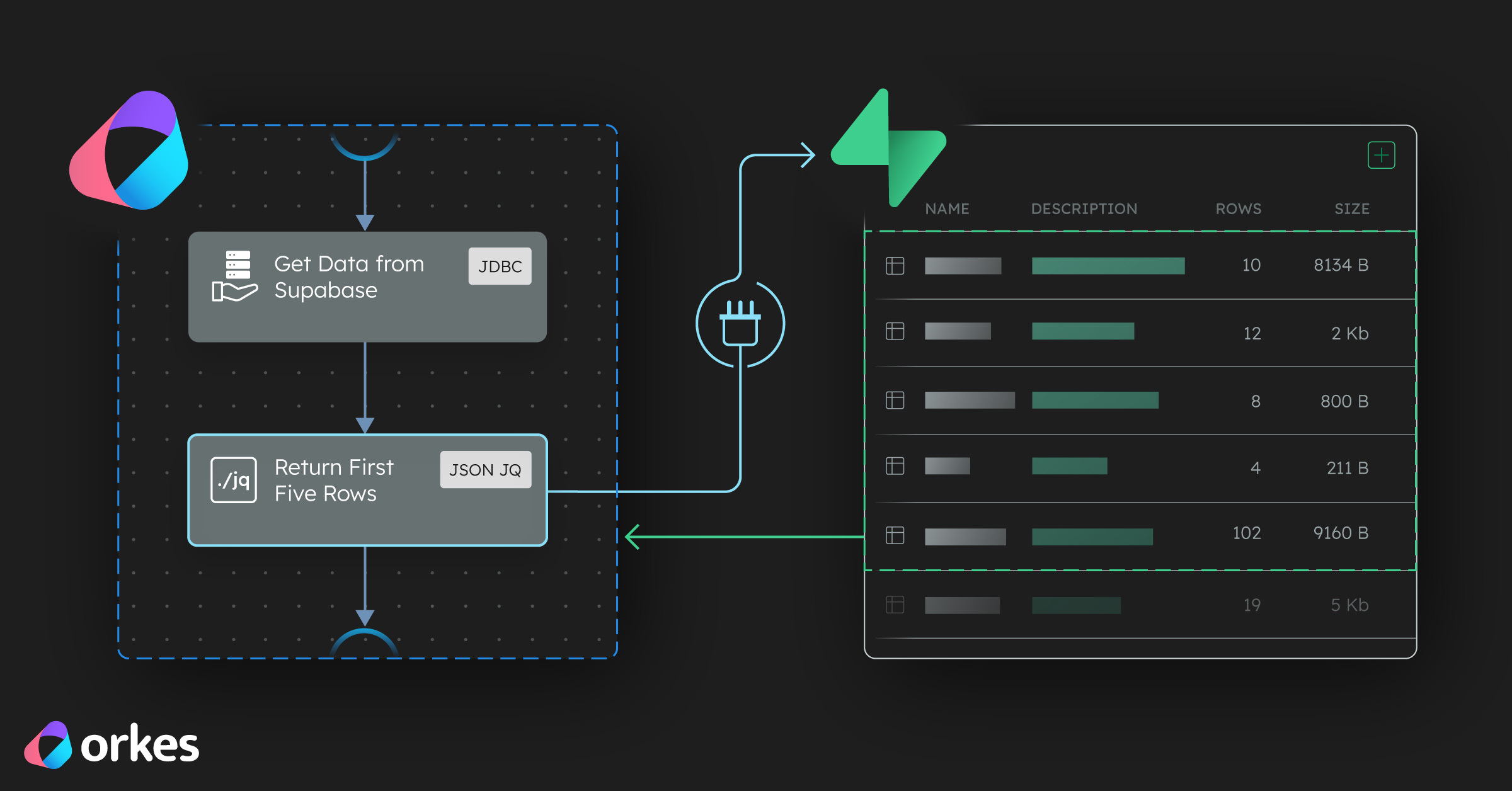
This workflow is intentionally simple with just two tasks:
{
  "name": "SupabaseDataTemplate",
  "description": "A simple Orkes Conductor template that connects to a Supabase table and processes the data.",
  "version": 1,
  "tasks": [
    {
      "name": "getAllData",
      "taskReferenceName": "getAllData_ref",
      "type": "JDBC",
      "inputParameters": {
        "integrationName": "${workflow.input.SUPABASE_INTEGRATION}",
        "statement": "SELECT * FROM ${workflow.input.TABLE_NAME}",
        "type": "SELECT"
      }
    },
    {
      "name": "processData",
      "taskReferenceName": "processData_ref",
      "type": "JSON_JQ_TRANSFORM",
      "inputParameters": {
        "queryExpression": "{first_rows: .getAllData_ref.output.result[:5]}"
      }
    }
  ],
  "inputParameters": ["SUPABASE_INTEGRATION", "TABLE_NAME"],
  "schemaVersion": 2
}
Task 1 — getAllData:
Connects to your Supabase database and fetches all rows from your selected Supabase table.
Task 2 — processData:
Transforms the output (currently extracts the first 5 rows, but you can customize it).
That’s it. Two tasks. Zero friction.
Once your data is flowing, build on it by adding tasks like:
You can keep stacking tasks until your workflow feels alive — a data-driven system that reacts, adapts, and automates without you writing endless scripts.
If you're new to Orkes: You can skip setup entirely and get a working workflow running in minutes. Then customize it visually.
If you’re experimenting with Supabase: You can visually explore your data, test queries, and see results instantly.
If you're a Supabase power user already: You can connect your existing database to Conductor and start automating tasks, dashboards, and AI pipelines right away.
With this ready-to-use template, you can:
Start now with Orkes Developer Edition and see how fast Supabase automation can be.