PRODUCT ENGINEERING
RBAC: Protect Your Workflows from Unauthorized Access and Terrors

Maria Shimkovska
Content Engineer
Last updated: October 7, 2025
October 7, 2025
5 min read


Nov 6, 2025
Nov 5, 2025
Oct 31, 2025
Join thousands of developers building the future with Orkes.
Learn what Role-Based Access Control (RBAC) is and how Orkes Conductor uses RBAC to secure workflows, prevent unauthorized access, and keep your automations safe.
I love a superb scary story, especially during this season, but there is fun scary and then there is I-have-actual-nightmares-for-weeks-and-all-the-dogs-die-in-the-movie scary.
Your workflows without proper security? Definitely the second kind.
And you know that classic horror scene where someone clearly shouldn’t go into the dark basement, yet no matter how loudly you yell “Don’t go in there!”... they go anyway? If only something could stop them.
That’s where RBAC comes in. They keep your users and workflows from making that same bad decision.
If you're not familiar with RBAC, I'm glad you're here, I will start by going over that real quick. And if you already know the basics and just want to see how Orkes Conductor handles it, feel free to skip ahead.
RBAC stands for Role-Based Access Control. You’ve probably heard the term when people talk about security or authentication.
It's a system for controlling who can do what in your app, system, or workflow, based on their role rather than their individual identity.
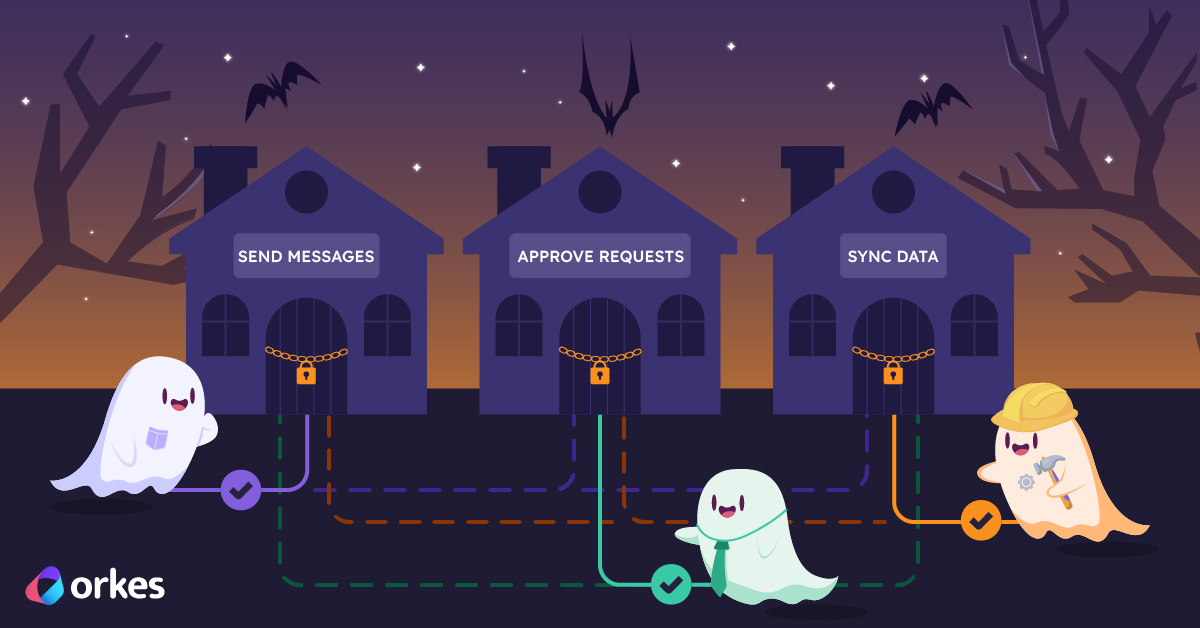
This means that instead of giving permissions to every single user one by one, you assign permissions to roles (like “messenger,” “approver,” or “data syncer.” Or "entry level employee", "mid level employee", "high level employee") Then you simply assign users (or ghosts 👻) to those roles.
If a ghost’s role only allows them to enter the Send Messages house, they can’t sneak into the Approve Requests or Sync Data ones. They'll be denied access. How convenient.
Not to scare you too much, but here are some terrifying things that can happen to your workflows without proper RBAC:
In short, without RBAC, your orchestrations turn into the not-so-fun nightmares. You get unauthorized edits, runaway executions, and production systems haunted by “unknown users.”
RBAC acts as your protective ward, defining who can create, edit, run, and observe workflows so your automation realm stays stable, secure, and completely un-haunted.
Behind the scenes, RBAC connects three key elements, users, roles, and permissions, to define exactly who can do what inside your system or workflow.
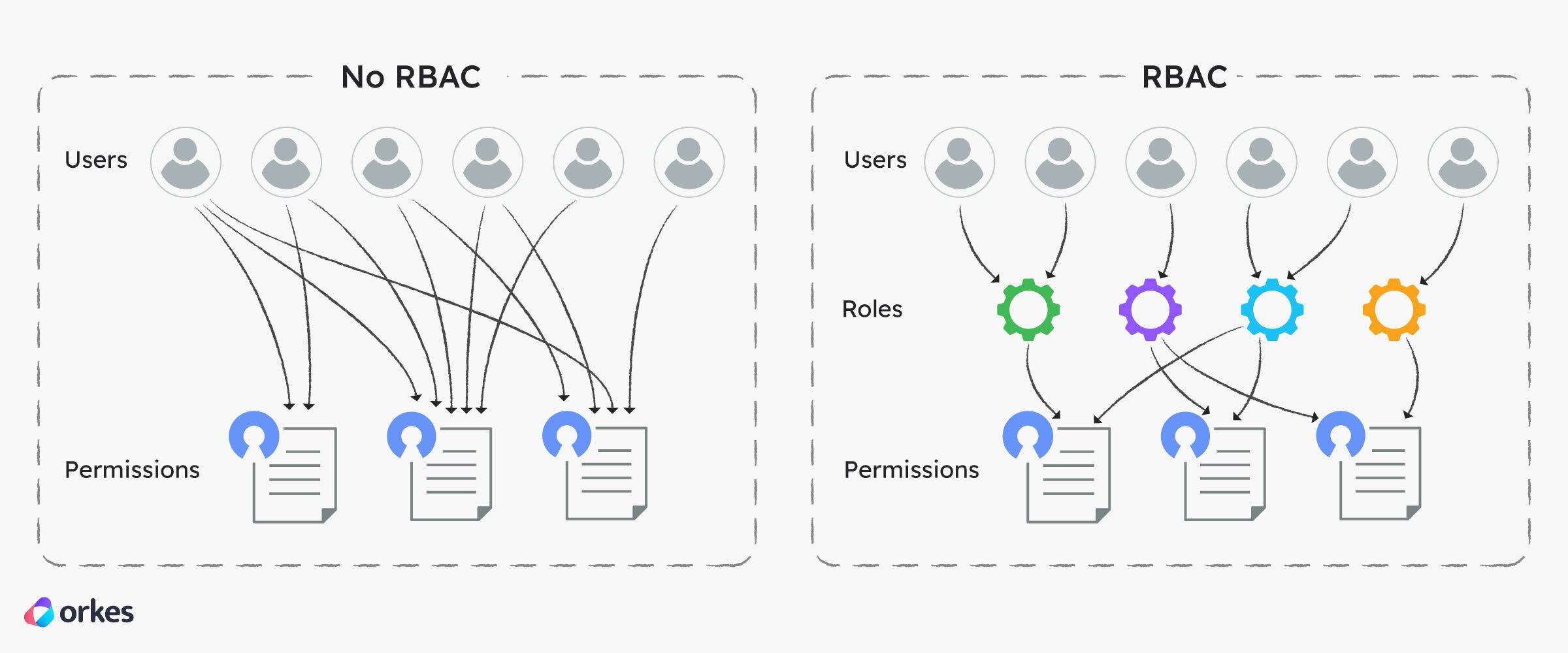
When a user (or service) tries to perform an action, the system checks their assigned role and verifies whether that role has permission to do it. If yes, the action proceeds. If not — access denied.
Orkes Conductor provides Role-Based Access Control (RBAC) for both individual users and applications that interact with its API and SDKs.
What this means is that you can define and enforce fine-grained permissions to control who can access specific workflows, tasks, or resources, and what actions they’re allowed to perform (such as viewing, executing, or modifying them based on their assigned roles.)
There are a ton of fun and diverse ways you can play around with permissions to fit your exact situation.
When you log into your Orkes Conductor account, you’ll find an Access Control tab on the left-hand side. Inside, you’ll see Applications, Groups, and Users.
Orkes Conductor’s Roles and Tags make RBAC management flexible and scalable.
env:staging or team:payments. When you give access to a tag, that access applies to all resources with the same tag. So instead of manually granting permissions for each workflow, you can tag related ones and manage them all at once.Let’s see what this looks like in action.
Imagine you’re a developer building an internal deployment automation using Conductor. Here’s your simple workflow:
With Orkes Conductor’s RBAC, you can lock down your deployment process so only the right people and services can change or trigger it.
For example, you can create a Developers group and give them permission to edit and test workflows only in the staging environment. Nowhere near production.
Your Release Manager can have a role that allows them to deploy to production.
Your CI/CD application can use an application account with just enough access to run builds and execute tasks, but not to edit or delete anything.
You can also add tags like env:staging and env:prod to your workflows, tasks, and secrets. By granting access to these tags instead of individual resources, you can control who touches staging versus production with just a few clicks.
And if something ever does go wrong, Conductor’s audit trail lets you see exactly who ran what and when.
Together, these RBAC tools create a clear boundary between testing and production, keep sensitive data safe, and make sure every action in your workflow happens for the right reason, by the right person (or bot).
So next time you build your automation, let RBAC be your shield.
Give power only to the worthy, keep your workflows safe from chaos, and rest easy knowing your orchestration realm is free from the wrong type of scary.